Showing posts with label freebie. Show all posts

March 19, 2020

Google Classroom during School Closures

Even before our schools closed because of COVID19, I have been a huge advocate and user of Google Classroom to engage learners and improve 21st century skills in the classroom!  Yet, at this time, Google Classroom is such a convenient way to continue learning during our school closures!  Not only has Google provided a way for us to connect through our devices, but they've done it for FREE and other educational websites are offering free access to their resources too!

While the pandemic and change can be stressful, you don't have to reinvent the wheel with the amount of free and ENGAGING resources that are available to work compatibly with Google Classroom.   If you haven't heard of flocabulary.com before, then you may not teach above 2nd grade.  Flocabulary offers an abundance of original hip-hop song video resources to explain grade-level concepts and social-emotional skills to students!!  Most are geared to 8 year-olds and up, but they've been expanding their library and reach each year.  Here's their latest & timely video about the importance of handwashing:
My students and I LOVE watching a flocabulary video clip to emphasize various science, math, and even those drier ELA concepts.  It really brings the academic content to life in front of your student's eyes and truly captivates them with the catchy lyrics and humorous animation.  Because of school closures and the switch to distance learning at home, flocabulary.com is offering a 60 day free trial to their resources.

The BEST PART is if you already have Google Classroom setup for your students, you can easily create assignments for your students straight from Flocabulary Once you've linked your Google Classroom account onto your flocabulary sign-in, you are able to create Google assignments and require students to watch a certain video you've found and then take the quiz (or study the vocabuary flashcards, play lyrics lab, there are truly a wealth of options!)  Personally, I just require the video and the quiz.  Linking your Google Classroom account can be done in the three easy steps seen above in my picture tutorial! 

There are two apps I tend to use more than the others on the Google Suite for Education platform.  SLIDES is definitely my go-to!  I use it for creating lesson plans throughout the week, it helps me manage student transitions into and out of the classroom, and it allows me to be the most creative.  Here's a look at the SLIDES resource I display when students enter the classroom.  How can my Digital Morning Message SLIDES be used for distance learning?  Well, you can edit it to share your learning agenda for the day and snip the image to paste into your Google Classroom assignment description.  Or, you can used it along with your recorded lesson through Hangouts - using as a starting point to get you going!  If you're looking for free tips on how to EDIT and customize your GOOGLE SLIDES, access the product preview on TPT!

When creating a lesson to share with students, I often create a SLIDE presentation and embed videos (from reputable & age-appropriate sources like Flocabulary or NatGeo Kids), my bitmoji images, and giphy animated stickers to increase engagement.  When requiring the students to interact with the content, I prefer to share the slide and select MAKE A COPY FOR EACH STUDENT so they are able to add their edits to the document freely without affecting anyone else's work or my master file.  This is important to keep in mind, because if you share the SLIDE so all students can edit, then be prepared to end up with a document that has completely changed!
I've shared this resource on my store, geared toward 3rd and 4th grade students.  This free lesson includes my GOOGLE SLIDE lesson for students to interact with, watch a video.  Then, there's an auto-grading check for understanding made with Google Forms.  It allows students to apply their understanding of the reading skill by answering multiple choice questions by referring back to the text and making connections with a relevant educational video clip!  If this sounds like something you could use with your students, click the picture above for this freebie!
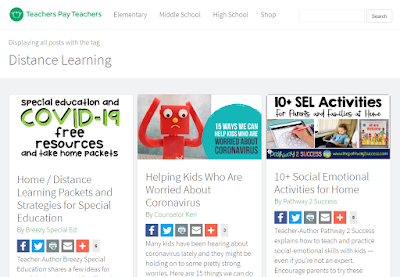
This morning, Teachers Pay Teachers even assembled a FREE assortment of helpful resources, the first of which I know is on the minds of the district staff on how to equitably instruct our SpEd students during this time of school closures.  Check it out above!


October 20, 2019

Paragraph Writing

Are you struggling to provide adequate examples of paragraphs when teaching your students how to write?  It takes A LOT of instructional effort to really drill in the craft and structure of writing to your students so they don't resort back to their poor and comfortable habits.  Not to mention, having examples of well-written paragraphs available and anchor charts posted during instruction for students to reference... I've spent far too many prep periods getting creating these materials myself!  What makes teaching & grading WRITING easier?  I'm so excited I finally figured out how to build stronger writers and I'm sharing some of my secret techniques to help you stop pulling your hair out!

#1 - Parts of a Paragraph Writing Anchor Chart!!  

If you don't have transitional phrases available, and you don't constantly reference them, then how do you expect your students to venture out farther then first, next, then, last?!?  My poster really stays up the first half of the year and is probably the most referenced in the classroom, aside from any class goal we are tracking.  As a teacher of developing 4th grade writers, I have learned that many kids passed 3rd grade not knowing how to indent their paragraphs, let alone what a paragraph is.  To find out more about how I scaffold paragraph writing instruction, grab my freebie over at my TpT store.

EXAMPLES of quality paragraph writing is key - because even though it may seem like common sense for students to put a dent at the beginning to match the look of the article they just read from, A LOT of time LIKE 95% of the time - they DON'T!!  Download this free resource to hear what wacky thing I do to help the kids remember to indent each paragraph.

#2 - Teach The STRUCTURE: Topic Sentence, Supporting Details & Conclusion Sentence

During the first part of the school year, we are in WRITING BOOT CAMP!  It's just training the students to know that holes live on the left side of a lined sheet of paper, how to write a proper heading, why we skip lines when we draft.  Beyond these simple mechanics, I break down the basics of quality writing: hammering down what is a COMPLETE SENTENCE and the STRUCTURE of a PARAGRAPH.  After we've gotten the hang of it (and all students have received one-on-one feedback on how to improve their writing from me at least twice during the year - written or verbal), normally by mid-late September - it's time to relinquish some control.   I slowly pull back because it's time to let their INDIVIDUAL WRITING STYLES SHINE!

#3 - Use Writing Frames with Struggling Writers

One of the hard realities I've learned is that grading the writing from my below-level students is PAINSTAKINGLY difficult because it takes me forever to read through them!!  There's just so many gaps, I don't even know where to begin.  Often, these are my ELL (English Language Learner) students and Resource students (those on an IEP for writing).  These guys typically have such a strong work ethic, but they just need that little BOOST to get them going on the writing assignment.
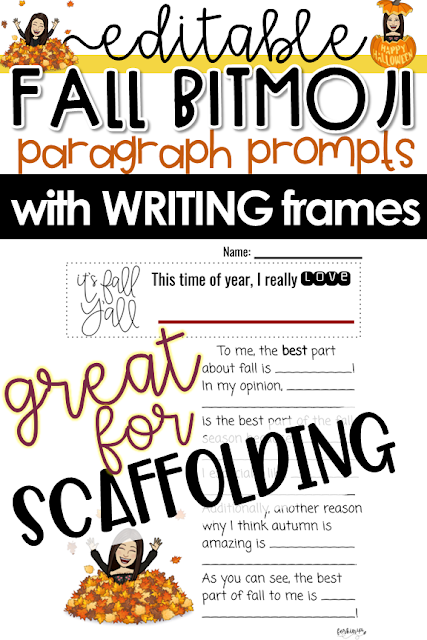
What are writing frames? Well, they begin as a sentence starter, but also include other parts of the rest of the sentence, so that's why it's called a frame instead.  Even though making the frames takes me extra work, it helps me to create my teacher exemplar along the way.  My example above shows that the structure and grammatical syntax has been setup for the student, so they can focus on inserting their ideas.  As time goes on, and their skills progress, this will fade away (especially since they won't get this kind of help on assessments) but it does wonders to boost their confidence and abilities at the onset.  TIP: If you have a non-English speaker who you're unable to communicate with, why don't you modify their assignment and let them complete the writing frame after running it through Google Translate and converted it into their native language?  My Korean students have loved working this way!


#4 - Get Familiar with the Rubric BEFORE Assigning Writing

For the first five years of my life as a teacher, I absolutely HATED rubrics.  I was ANTI-rubric.  Why? Well, it's because I always had to use the ANCIENT, TEDIOUS and WAY TOO LONG rubric required by the district.  Also, for the first four years I taught, I was forced to sit through a Professional Development Day grading three class sets of on-demand writing using this 36 point rubric (6 point-rating-scale for the six traits of writing).  Therefore, I was burned out by rubrics and basically made the executive decision that my students would be happier if they never saw a rubric.
Recently, I took it upon myself to align the rubric I used in class to the ones my students would see later on when we took our state test.  Once again, it was WAY TOO WORDY (we're talking size 6 font). So, I tried my best to create a THOROUGH rubric that would make it EASY-to-GRADE!  At the bottom, you'll notice a spot for students to explain their self-evaluation because I want them to really benefit from reflecting on the quality of work they produce!

Amazingly, once I FELT COMFORTABLE with the rubric we would be using, my students started getting used to them too! (cue the Selena Quintanilla song, "I'm Getting Used to You!")

 Also, my grading turnaround time improved.  I started referencing them more throughout the writing process, and eventually I learned to LOVE rubrics (once they were already made, of course!)  Making them is still a pain, but luckily you can collaborate with your teammates when your brain is fried!

#5 - Give Your Students PLENTY of PRACTICE WRITING

I don't TORTURE myself with 5 paragraph stories or essays except for ONCE or TWICE a quarter.  Instead, I keep it manageable with paragraph prompts to assess my students' abilities in writing (a HUGE THANKS to my principal for this great idea!!)  The trick she shared, is even when you do assign the long-winded assignments, just pull out one or two paragraphs and provide a grade from that evidence.

Branching off my principal's advice to just focus on paragraphs, I began to make it a point to assign writing that kids can CONNECT with and feel MOTIVATED about with just a little bit of persuading on my part.  Whenever I can, I make sure it's an assignment which can be completed when we go to the Computer Lab as a Google Classroom activity.  This lets ME 😀format the font style and look of the final draft, but ELIMINATES the need to decipher illegible or sloppy writing because now it's typed up (what a blessing!)

For Halloween, I challenged my students to convince me they knew the best Halloween costume for me to wear.  Whoever convinced me the best, would win the chance to see me come to school dressed in that costume.  Well, we all REALLY enjoyed this activity, and since I received so many Harry Potter themed costumes, but I was too late in getting to the store before Harry Potter robes sold out, I thought outside of the box.

I LOVE all things gold and all things Harry Potter, so I browsed Amazon Prime for some props to make a DIY Golden Snitch costume.  It was a HIT!

If you're interested in adding the Halloween Teacher Costume Challenge or other Fall Bitmoji Paragraph Prompts into your classroom, click the image above.  Thorough was my goal while making this, so you can use it year after year.  As you might have guessed, I want ALL of the THINGS ready-to-go when I'm assigning writing!!


July 29, 2019

Free Classroom Labels (for Target's Square Label Pockets)

When I first started teaching ten years ago, I spent LOTS of time LABELING!  Avery sticker labels were my best friend. Now, Target Dollar Spot has blessed teachers with many ways to label your classroom with their clear adhesive pockets.

My favorite size is the square 3.5 x 3.5 clear labels.  I now prefer these over the Avery options because they don´t leave behind the sticker residue or annoying, white remnants that shipping labels normally do when you peel them off.  This means if you need to re-position them, it´s not a big deal. After leaving my first school district, some of my former coworkers let me know that Room 30 still has touches of me with all MY labels still on the cabinets! (That's just PROOF at how much of a job it is to REMOVE shipping labels.)

FREE Classroom Label Tip #1: Name Tags (on chair backs)

Last year, we started leveling our students for math.  This meant, my homeroom class would switch to one of the two other grade level teachers if they weren't staying with me for accelerated math.  I knew I wanted to have name tags in an area that other students coming from different classrooms wouldn’t be distracted by or messing with. As a fix, I decided to place the square labels on the chair backs. Some of the labels did need to be replaced about midway through the year because the kids would pull out the labels when I wasn’t vigilantly monitoring or through just normal wear and tear of stacking chairs, but it was definitely less than how often I normally have replaced regular desk tags!

FREE Classroom Label Tip #2: Table Folders

One of the ways I organize unfinished work at tables is with poly plastic folders.  I would mainly use this for students to keep writing papers and/or science lab activities since students tend to be at different stages of completion.  This system greatly helped me to manage revising rough drafts over the weekend, and planning for writing during the upcoming week.  The left pocket had a shipping label which said, "still working..." and the right pocket's label was, "finished work."

Looking through my class´ writing progress this way helped me to check the status of the class and determine who wasn't ready for the publishing stage, and how to plan my lessons accordingly.  Each table, 1 through 6, would travel lightly in my tote bag - much nicer than 25 notebooks. This method also kept everything easily organized for students to access without having to pass back and sort through an entire class set.

FREE Classroom Label Tip #3: Personal Schedule Reminders

Managing schedules for my resource and speech students DRIVES me CRAZY!! I try to avoid having to answer the questions, "When do I have to leave for writing?" as much as possible.  Part of making this a peaceful reality for myself is to create schedule reminders for my students to refer to all by themselves!  For example, "What time do we go to lunch?" - I simply point to the schedule on the whiteboard.  Why wouldn't it be different for personal schedules?  

Aside from not having a clue what time each speech student leaves for their services every week, I know these printed reminders help out these guys deal with their anxiety so much!! These students crave routines and are SO TIME-DRIVEN!!  So, I designed a desk reminder that can be easily edited the next time there's a schedule change ------which is HIGHLY LIKELY (at my school)!!

I place this reminder in the top corner of my students' desks because they are discrete and help them to manage all the places they need to be ALL by THEMSELVES!! This promotes independence and saves my sanity because I no longer have to worry about getting these learners to their push-out classrooms.

Since this is my FAVORITE way to use these Target labels, I created this video tutorial to show you how to do it yourself! Check it out to see how I create these personal schedule reminders!

FREE Classroom Label Tip #4: Numbered Cubby Labels

Instead of placing the labels where the printout loads in at the top, I rotate the opening so it´s on the right.  Not only did it help me to keep everything flush with the straight edge, but it has helped these labels stick for years! This strategy prevented the adhesive pocket from getting caught on anyone´s backpack and allowed me to avoid the lip that is created by the opening gap.  I´ve had these labels on my cubbies for the past two years without having to replace a single one!!

FREE Classroom Label Tip #5: Participation Tallies

WARNING: This will make the label somewhat dirty.  Simply, place a Sticky Note inside the label and have students write on them with dry erase markers.  During math lessons I do ANYTHING possible to make sure students are engaged in their learning. One of these strategies is to have them give themselves a participation tally for responding or completing the appropriate task when directed.  I typically set a goal of having them reach 15 tallies before our Exit Ticket at the end of our lesson.

For example, I might say, "If you read the I can statement with me, give yourself a tally." "If this is the solution you shared with your partner, give yourself a tally."   If you´d like to make it even more competitive, then you can have table groups total up their tallies and award an ACTUAL TABLE POINT to the table with the most participation tallies that day.

BONUS Tip: Line Display (no pocket label needed)

My sister has previously used calendar numbers purchased at the teaching supply store to attach to the tiles on the floor in her kindergarten classroom.  Now, her students use these numbers to know what spot to stand in when they line up to leave the classroom at any time. This teaches them about personal space and where to find their student number.

EXCLUSIVE FREEBIE for my blog followers (simply click the image above or below)


July 10, 2018

3 EASY Steps for a "BEARY" Cute Back-to-School Gift!

 Need an EASY student gift to welcome your students back-to-school?  These "BEARY" cute bag toppers can be used on a small bag of Gummy Bears or Teddy Grahams.  As you can see, I stock up on a 5 pound bag of Albanese 12 flavor gummi bears because EVERY FLAVOR tastes YUMMY.  Typically, I avoid the green, yellow and orange flavors when enjoying other brands, but that's not the case here!


  How to DIY this gift:
1 - Fill the bag (craft size 3x4) about 2/3 full of your bear snacks, zip closed.
2 - Edit your bag toppers with the resource available below. (click the image)
3 - Print out, cut, fold in half & staple. TA-DA! :)
What do I do with all those leftover gummy bears besides sneaking them into the movie theaters?  Well, I get students hooked on SCIENCE at the beginning of the year by conducting experiments following the steps of the Scientific Method with the Growing Gummy Bear lab.
Each student gets to soak a gummy, and then upon completion of their lab report, they get to enjoy a gummy bear!
Have a "BEARY" great school year making fun memories in your classroom!
If you've made it this far in the post, please treat yourself to this FREEBIE which may be used alongside individual pouches of bear snacks: Teddy Grahams or Gummy Bears (your choice)!
 Click the image below to score my blog follower freebie.  Please follow if you'd like to be the first to know of my future posts!

Make sure you have the fonts below installed on your computer. Find them at the links below:

January 14, 2017

My Dream (A Martin Luther King Inspired Bulletin Board)

We our blessed to enjoy a 3-day weekend in honor of the life of Dr. Martin Luther King, Jr.  Some people end up commemorating this day as day to complete acts of community service.  Many cities throw parades.  I am grateful for the people who worked so diligently to open the future to a better society for us through the Civil Rights Movement!

This year, I taught my class about Martin Luther King, Jr. with the following videos:
*Kid President
*Flocabulary
*BrainPop
To teach the concepts of current global injustices the students may not be aware of, I discussed & showed this video on 62 Million Girls aimed at making sure girls without access to education are given the ability to get an education.  Michelle Obama has a program called "Let Girls Learn" and Malala's efforts are called "Girl Rising."
"The time is always right to do what is right." - Martin Luther King, Jr.
After building enough background on this important leader, I used this great & FREE template by Jodi at Fun-in-First for my bulletin board.
 
I teach at a Leader in Me school so I assigned the students a homework assignment in which they were required to teach a parent/guardian about Habit 8 (Find Your Voice and Inspire Others to Find Theirs).  Then, they were to dig deeper and discover a time when their parent/guardian took a stand or stood up for an injustice by using Habit 8.  Finally, the student wrote their own "Dream" to solve an injustice in the world.  I collected the papers and revised/edited before they published onto the free cloud template from Fun-in-First.
After writing their final copies neatly on the reduced size clouds (75% of the original size), they cut it out and glued down on the top left corner of their turquoise signed name background papers.  If you'd like to use this template, click the image above.  Also, make sure you have the font: KG Eyes Wide Open installed.  Lastly, the students cut & glue a picture of themselves to the bottom right corner.
  If you need something to post beside your bulletin board, you may use the photo above if  you are a Habits or Leader in Me school!

Wayne Ford has created an infographic focusing on Martin Luther King Jr and some of his famous quotes.  This is another great visual to share with your students as you help to build background!


January 1, 2017

Have You Heard About Zearn? (You ZEARNED It! freebie)

If you follow or use parts of the Eureka Math / Engage New York / Expeditionary Learning math curriculum in your instruction, you and your students will 💓LOVE💓 zearn.org!

I love how it allows you to use the Zearn interface to teach the lesson/concepts in the same aesthetically-appealing digital format they will experience it when completing their online lessons and challenge (Tower of Power) activities.  Another great thing about using ZEARN is that it builds reports for you so you can track student progress, check-in with students experiencing difficulty, and group your kiddoz based on need.  But, the best thing about it, is it's absolutely FREE!!! 😎 (Check out the video below to see all of the benefits of using Zearn math in your classroom.)

What is Zearn Math? from Zearn on Vimeo.

Recently, I challenged my students to complete 25 Zearn lessons by December 25th!  As a result, the students who made the use of their time in computer lab, in the classroom, and at home, were able to rise to the occasion! 😍

To reward them, I prepped lil' holiday gift bags to put on their desks when we return from winter break.  I didn't spend more than $5 on each kid, as I love to bargain shop and scored great finds during the after-Christmas clearance sales!  Have you been to Target lately?  Lots of items were marked at 70% off, especially their holiday dollar spot items - so we're talking 30 cents, people --- A-MA-ZING!!

This morning, I put together lil' "You Zearned It" reward certificates to attach to their goodie bags.  You can access this free editable file from my store, if it's something you'd like to use as you implement Zearn in your classroom!  All you need to do is change the name in the PowerPoint file to the student you are rewarding and print on the cardstock or paper of your choice!  (I used lime green - also green is the big color of 2017, or so I've heard)
I'm thinking for my Valentine's challenge, I will punch a couple holes in the red/pink certificates and attach a Pixi Stix candy straw - YUM! 😉


July 21, 2016

Framable Quotes Fri-YAY freebie!!

 Framable Quotes!!
It feels like floral and watercolor are the latest craze when it comes to graphic imaging.  At least, it really appeals to my demographic (crafter/teacher/lover of all things cute).  Michael's has an entire planner section filled with beautifully covered agendas that share this style.  

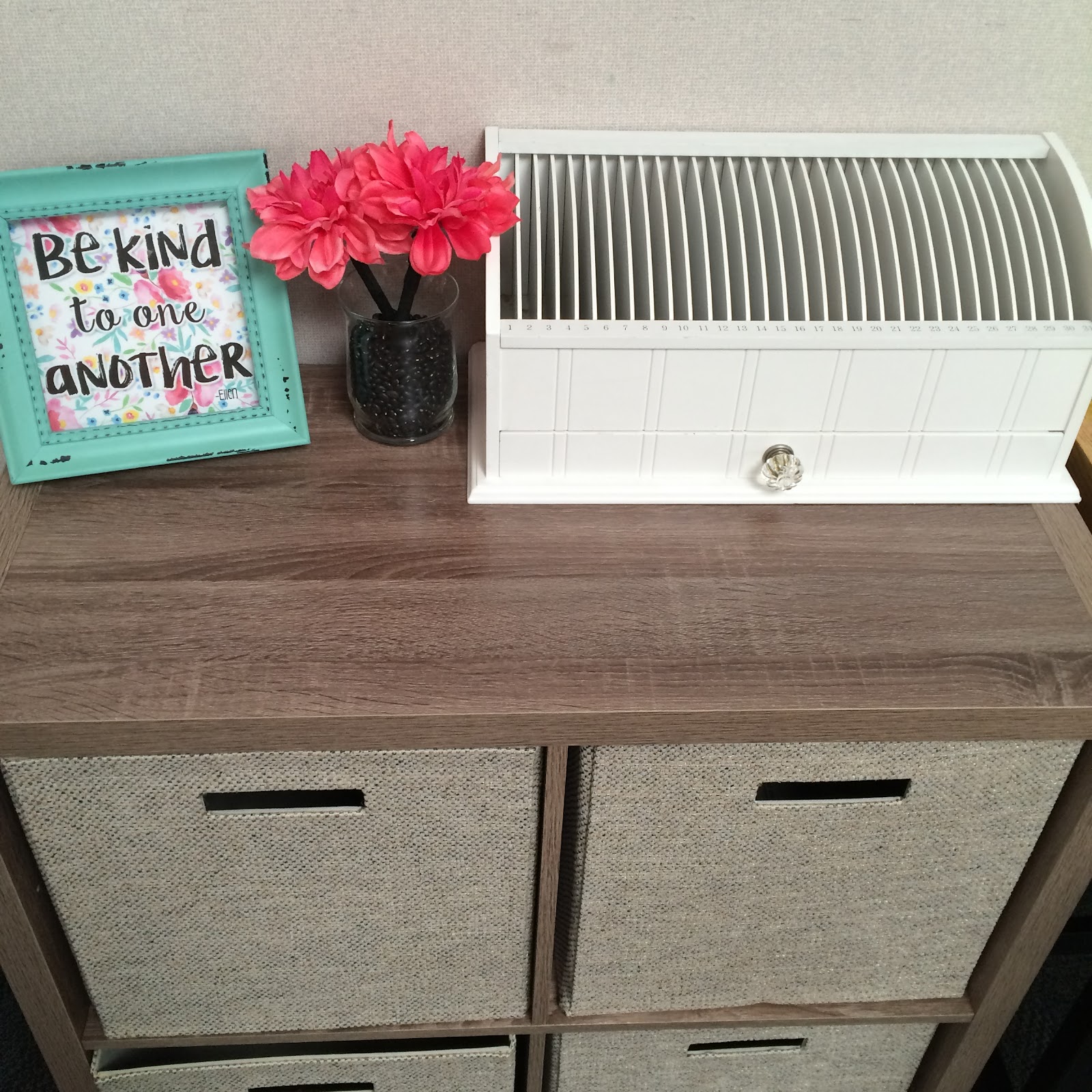
As my classroom decorating is now underway, I have decided to add a few touches of FRAMABLE quotes goodness to dress up the room. 
Now more than ever, I think it's important to stress the power of kindness over animosity.  If you watch Ellen, you'll recognize the framable quote as her signature closing as the episode wraps up.  Spread kindness and uplift moods and attitudes with these Framable Quotes!
******
TIP:  Now thru Saturday 7/23, Michael's has their basic black 8x10 frames currently on sale at 4 for $5.  These inspirational beauties will look great in those classy bargain frames!  
...and without further adieu...
Since it's officially Fri-YAY, I've left my fabulous followers with a fitting freebie.  Click the picture below and right-click to use 'Save Image As..." to download the 8x10 image to your computer for personal use printing!